

Aim trainer skill is
What Is Aim Trainer Software, Exactly?
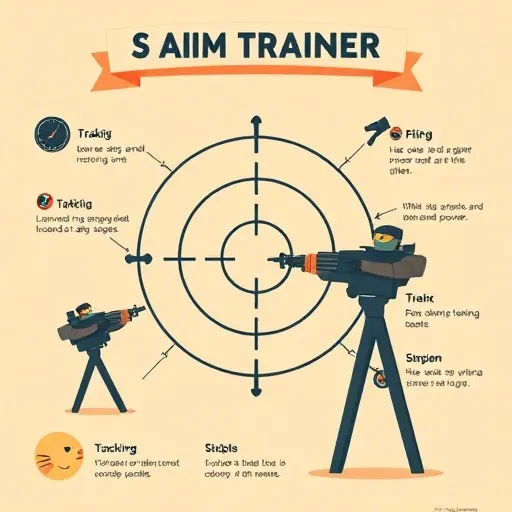
So here's the deal: aim trainer software is a whole category of interactive applications built around one simple mission — isolating and sharpening the specific aiming skills that matter most in competitive shooters. We're talking about flicking, tracking, target switching, and those tiny precision micro-adjustments that separate a clean headshot from a whiffed spray. Instead of throwing you into a chaotic full match where a dozen variables are fighting for your attention, aim trainer software strips everything down to the essentials. You get targets, a crosshair, and data. Man, so much data.
The best modern training platforms go way beyond those old-school click-the-dot drills. Today's aim trainer software simulates movement physics, mirrors the sensitivity settings and field-of-view configs from popular game genres, and leans on detailed analytics to show you exactly where your shots land versus where you actually intended them to go. That feedback loop — measure, adjust, repeat — is the whole ballgame. It's what separates productive training from mindless grinding, and honestly, it's why aim trainer software has blown up the way it has.
Why Aim Training Platforms and Skill Development Have Gone Mainstream in 2026
A few years back, aim trainers were this niche curiosity you'd only hear about in competitive gaming forums. Fast forward to 2026, and aim trainer software is a legit part of the training ecosystem. A bunch of factors drove that shift, and they're worth breaking down:
- Accessibility: Most leading training platforms are free or offer generous free tiers, which drops the barrier to entry dramatically for anyone curious about aim trainer software.
- Data-driven culture: Players now expect performance metrics in everything they do, and aim trainer software delivers granular stats on accuracy, reaction time, and consistency.
- Esports infrastructure: Competitive organizations increasingly fold structured aim training into player development programs, which validates the whole approach at the highest level of aim trainer software use.
- Cross-platform support: Whether you're on a desktop setup or a handheld device, there's likely a training solution tailored to your input method.
What's really notable is that the community around aim trainer software has matured right alongside the tools. You'll find curated playlists, community-created scenarios, and coaching content that helps newcomers dodge the classic pitfalls — like training at wildly different sensitivities than they use in actual games. That kind of skill development support makes aim trainer software way more approachable than it used to be.
Key Features and Performance Analytics to Look For in an Aim Trainer
Not all aim trainer software is created equal, and if you're shopping around in 2026, here's what actually deserves your attention. A good training platform should cover multiple skill dimensions: flick shots, tracking moving targets, target switching between close and distant opponents, and precision clicking on small hitboxes. Look for aim trainer software that lets you tweak target size, speed, spawn patterns, and time limits. The ability to mirror the exact settings of your favorite competitive title is a huge plus — it makes your training transferable rather than abstract.
This is where the serious aim trainer software platforms separate themselves from the pack. You want detailed breakdowns of accuracy over time, reaction speed distributions, click timing consistency, and heatmaps showing where your shots tend to drift. Some tools now use pattern-recognition algorithms to flag habits — like overshooting on horizontal flicks or hesitating before micro-adjustments — and then suggest targeted drills to correct them. That's the kind of personalized training that makes aim trainer software genuinely powerful.
On the input side, mouse-and-keyboard is still the traditional setup, but aim trainer software in 2026 supports a much wider range of inputs. Controller-based training scenarios, touch input calibration for mobile players, and even hybrid input profiles are becoming standard. If you play across multiple devices, pick aim trainer software that lets you sync profiles and track progress across platforms. And please — make sure your trainer doesn't compete with your game for system resources. Lightweight rendering, stable frame rates, and minimal background processes matter way more than flashy visuals. A training platform that runs smoothly on modest hardware keeps your focus where it belongs: on the crosshair.
Building an Effective Training Routine and Avoiding Common Mistakes
Owning aim trainer software is only half the battle — how you use it determines whether you actually see gains. Start with a short warm-up routine, like five to ten minutes of low-pressure clicking, to prime your motor control and cut down on injury risk. Follow that with fifteen to twenty minutes of focused training on one or two specific skills, then jump into actual gameplay. This sequencing ensures you're applying sharpened skills while they're fresh, which is exactly how aim trainer software is meant to be used.
Train specificity, not volume. It's tempting to chase high scores in flashy scenarios, but improvement comes from targeted work. If your tracking is weak, spend a week on smooth-tracking scenarios. If your flicks overshoot, isolate horizontal and vertical flick drills. Run benchmark tests at the start of each month, record your scores, and compare — benchmark trends don't lie, even when perceived improvement does. And respect recovery and ergonomics: your wrist, forearm, and shoulder need downtime just like any other trained muscle group, so take breaks, stretch, and skip the marathon sessions. Plenty of aim trainer software now builds in break reminders and ergonomic guidance for exactly this reason.
Even with great aim trainer software, lots of players plateau because of avoidable errors. Watch out for constantly changing sensitivity (muscle memory needs consistency), chasing leaderboard scores instead of accuracy and consistency metrics, training only one skill, and ignoring crosshair placement and movement. The most exciting 2026 development, though, is AI coaching — modern aim trainer software can analyze thousands of your shots, spot subtle inefficiencies, and generate personalized drill recommendations, with adaptive scenarios that adjust difficulty in real time to keep you in the optimal challenge zone. That kind of data-informed practice is the future of skill development, and it's why aim trainer software keeps getting smarter every year.